AI Photo Editing Software No Internet Upload No Login
Rotating, cropping, color work, retouching and AI functions share one window.
MKGpics AI PHOTO EDITOR is an AI program for the PC. Open a photo or drag it into the window with the mouse, then edit, run AI functions and save. Everything runs without cloud and without subscription.

This AI photo editing software combines classic editing with AI functions under one interface. As AI image editing software it rotates and crops photos, adjusts color, retouches skin and runs AI for background, objects, sky, color, bokeh, sharpness, noise and size.
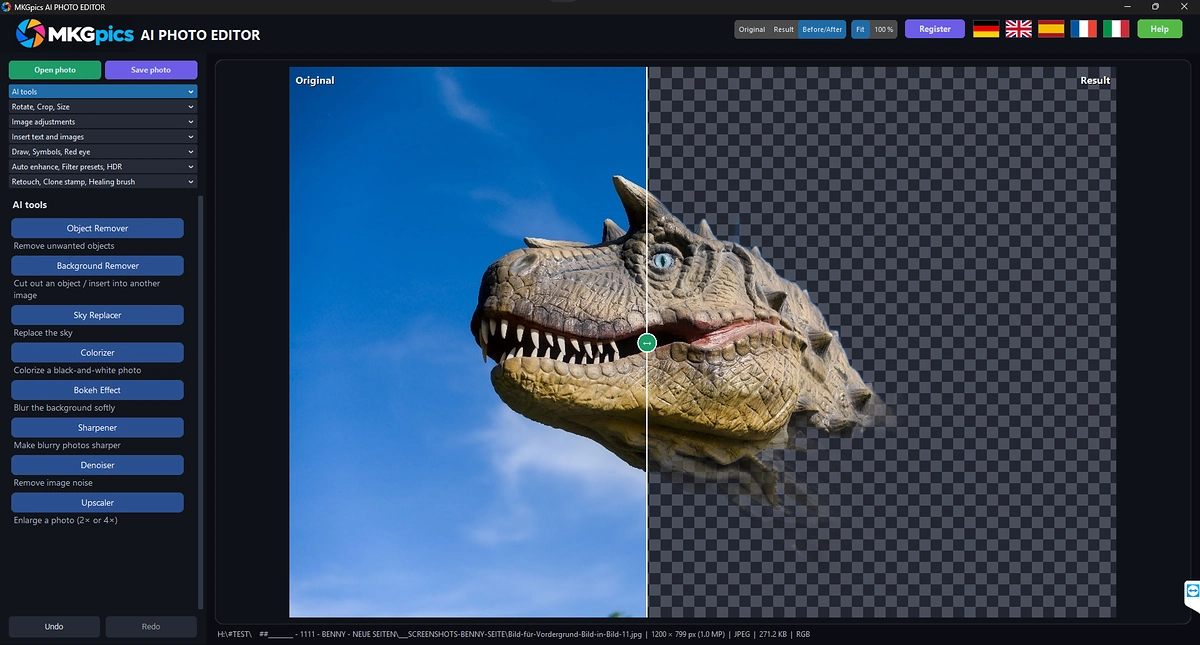
AI Photo Editing Software Functions at a Glance
- Photo opened through a dialog or by drag and drop with the mouse
- Image files as PNG, JPG, JPEG, WebP, BMP or TIFF
- Rotate left and right plus flip horizontal and vertical
- Straighten with a freely chosen angle
- Crop with a free frame or the original aspect ratio
- Resize by width and height in pixels with a locked aspect ratio
- Image adjustments for brightness, contrast, exposure, highlights, shadows, white balance, saturation and vibrance
- Sharpness, blur, vignette and grain as picture effects
- Auto enhance with one click
- Filter presets such as Vintage, Cool, Warm, Dramatic, Brilliant, Vivid and Cinema
- Black and white in four styles and sepia in four styles
- HDR effect in four levels
- Text and image insertion with font, color, outline, shadow, opacity, rotation and bend
- Drawing with brush, line, arrow, rectangle and ellipse
- Red eye correction with a click on the pupil
- Clone stamp and healing brush for retouching
- Smooth, dodge, burn, blur and sharpen with a brush
- AI functions for background, objects, sky, color, bokeh, sharpness, noise and size
- Before and after comparison inside the window
- Undo and redo plus mouse wheel zoom
- Save as PNG, JPG, WebP, TIFF or PDF with a file size estimate
- JPG quality choice and optional EXIF data
- Original photo stays protected because overwriting is blocked
- Help page plus five interface languages
- Local Python AI libraries run the calculations on the PC

Step by Step from Open to Save in the AI Image Editor
Open photo loads a file, and dragging a photo into the window does the same. The window has tabs for rotate, crop and size, for image adjustments, for the AI functions, for text and images, for drawing and red eye, for filters and HDR and for retouching.
The mouse wheel zooms, and the Before and After switch shows the effect of every change. The comparison works as long as the aspect ratio stays the same. Undo and redo step back and forth, as do Ctrl+Z and Ctrl+Y.
» Free download and photo editing for your pictures
Each AI function opens in its own window on a click. The photo is edited there, and after saving it returns to the editor with its new size in pixels. Closing the window without saving leaves the photo unchanged.
Files are saved as PNG, JPG, WebP, TIFF or PDF. JPG and WebP get a quality choice, the file size appears as an estimate, and EXIF data stays when the box is ticked. The AI photo editing software asks before a new photo opens if changes are unsaved, and it never overwrites the original.
Remove Backgrounds and Cut Out Subjects
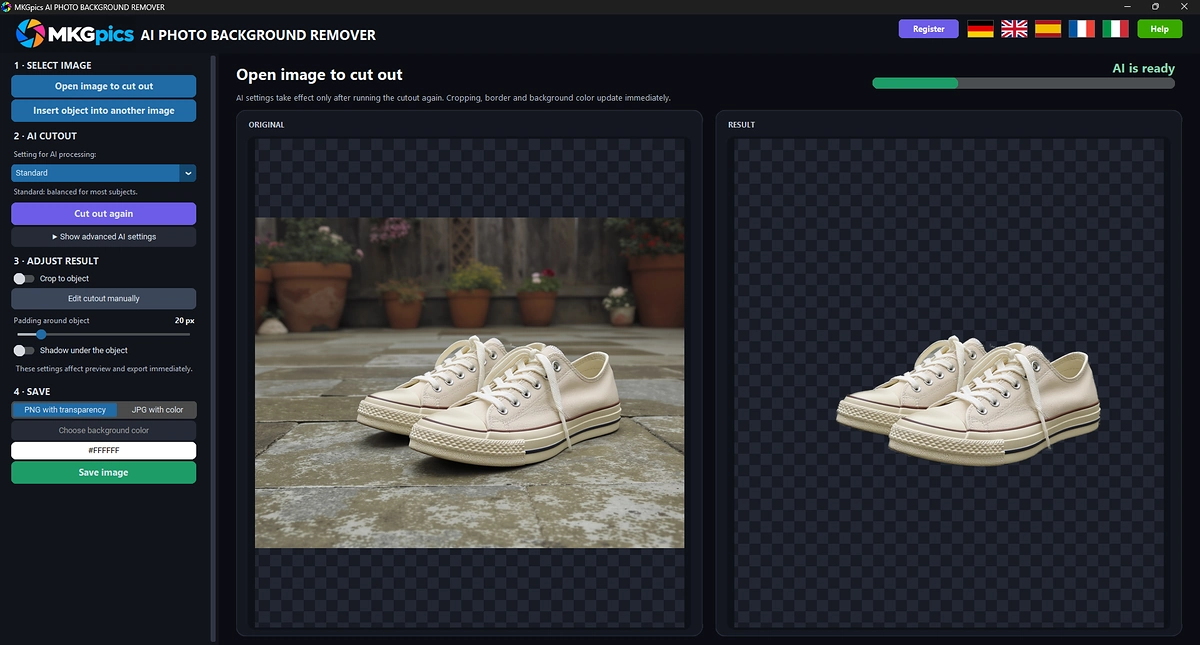
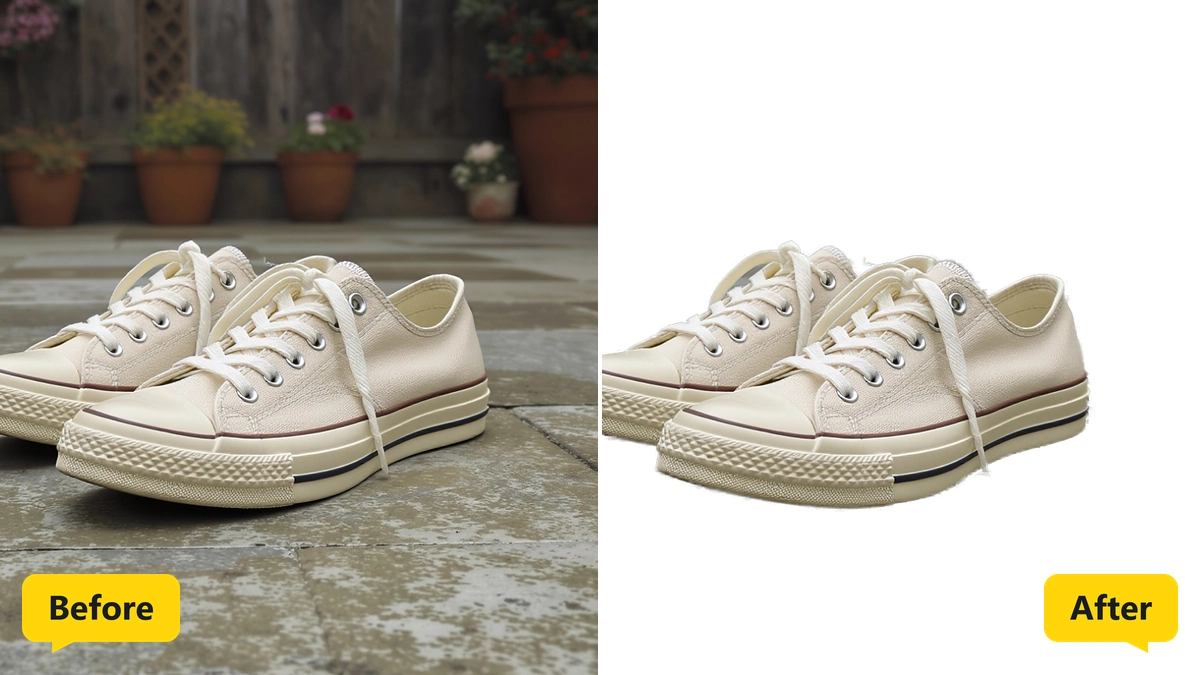
The AI finds the main subject and removes everything around it. Three profiles are available, Standard, Fine details for hair and fur, and Clean edges for products.
The mask editor with keep and remove brushes refines the edge, while crop to object and a free background color finish the result. The file is saved as PNG with transparency or as JPG with the background color, and composite mode places the subject into another photo.
Erase Unwanted Objects and People from Photos
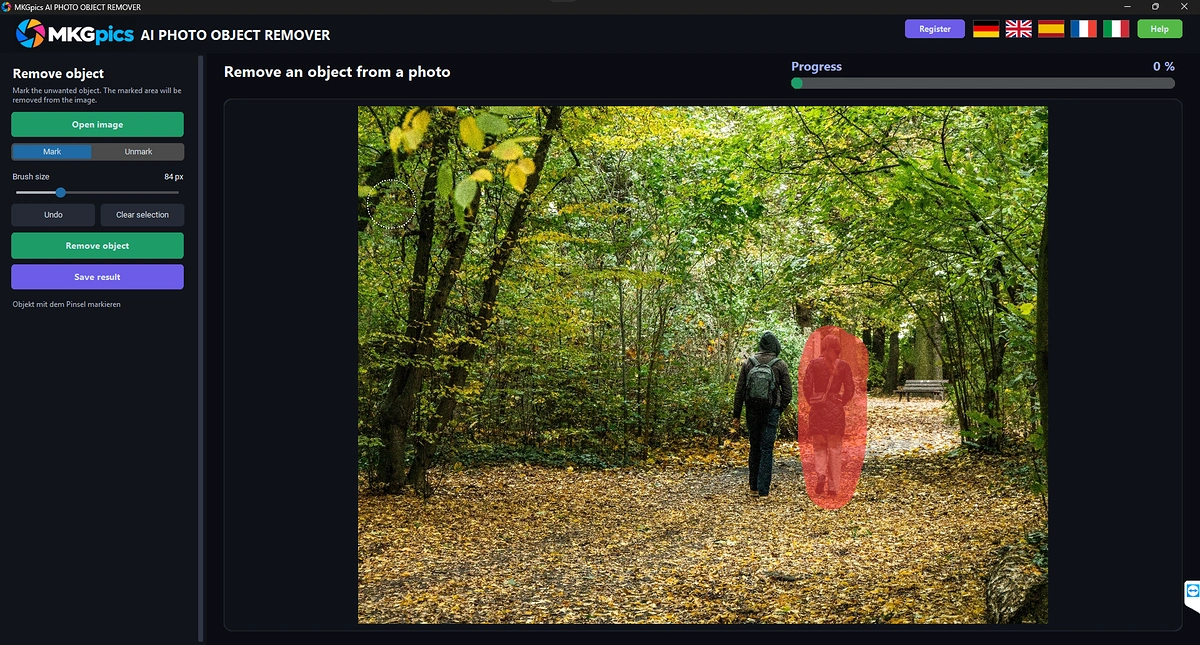
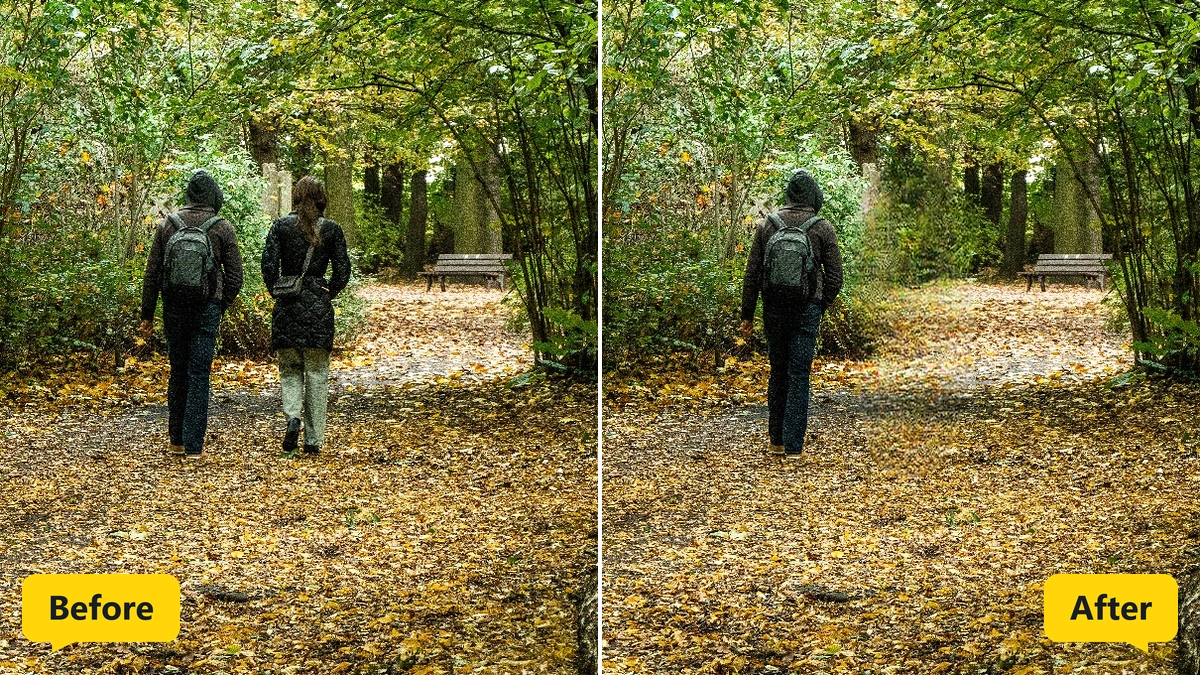
In the AI photo editing software the unwanted object is painted red with the brush, and Remove object starts the calculation. The AI fills the gap to match the surroundings, for example behind passers-by, signs, cables or stains.
Brush size is adjustable, and a dashed circle shows it in the photo. Undo takes back strokes, Clear selection empties the marking, and the cleaned photo is the base for the next marking.
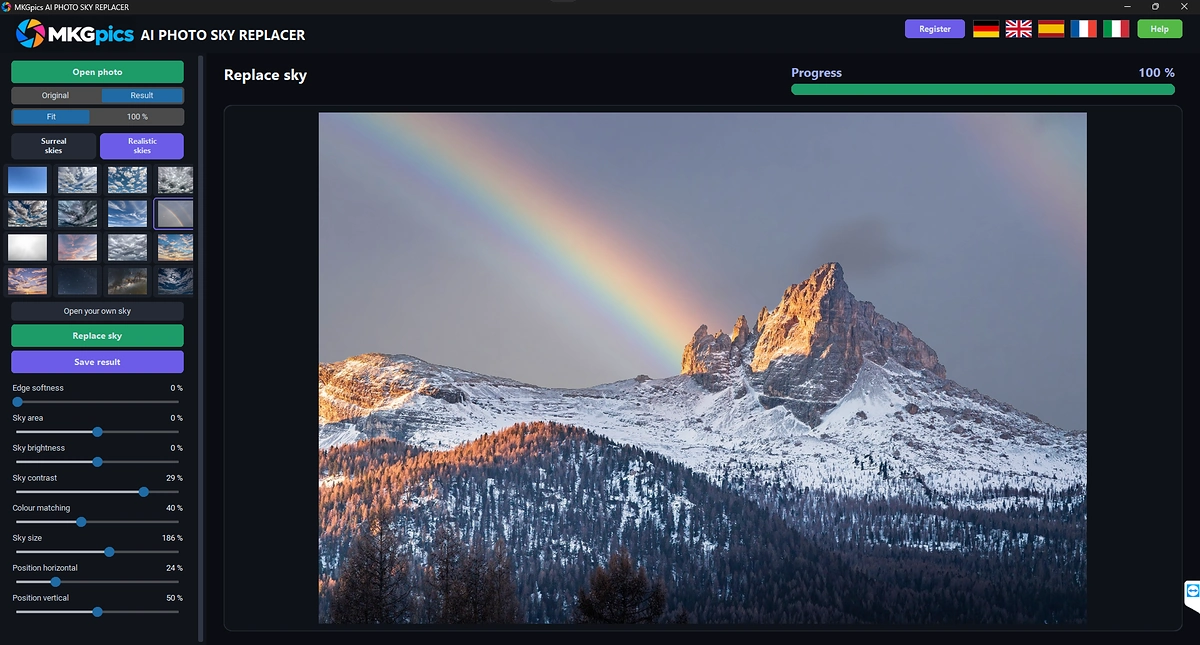
Swap a Dull Sky for Dramatic Clouds
The AI finds the sky area by itself. Sky pictures appear as small previews, sorted into realistic and surreal skies, and an own sky picture is cropped and inserted.
After the swap, edge softness, sky area, brightness, contrast, color matching, size and position fit the new sky to the landscape.
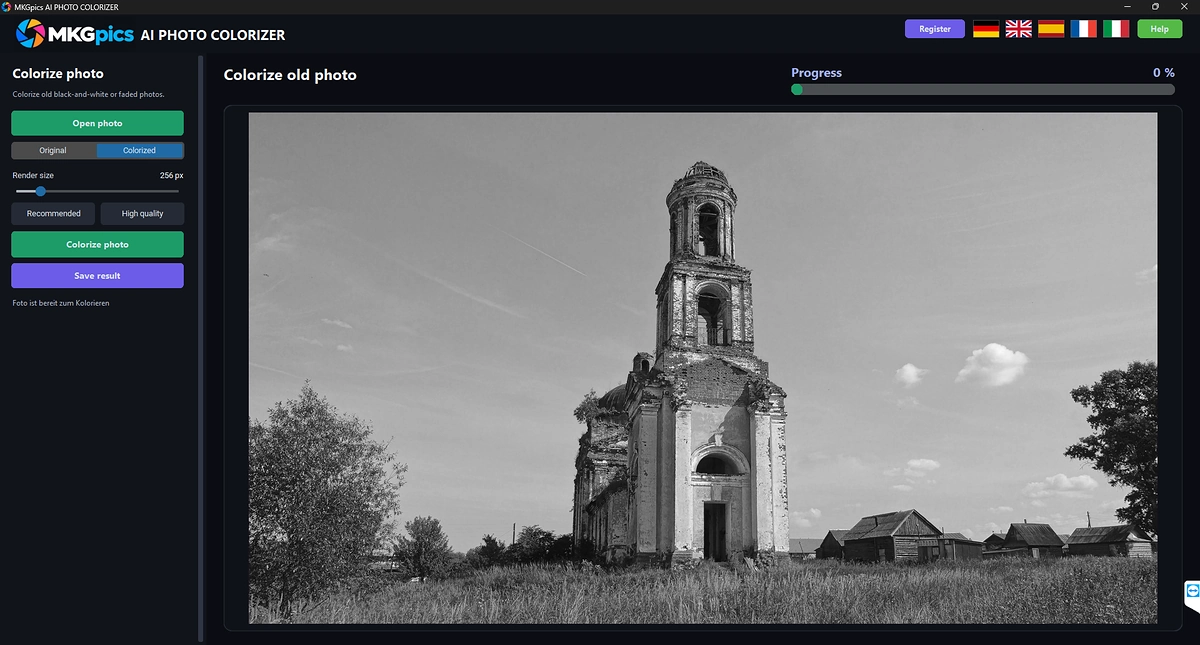
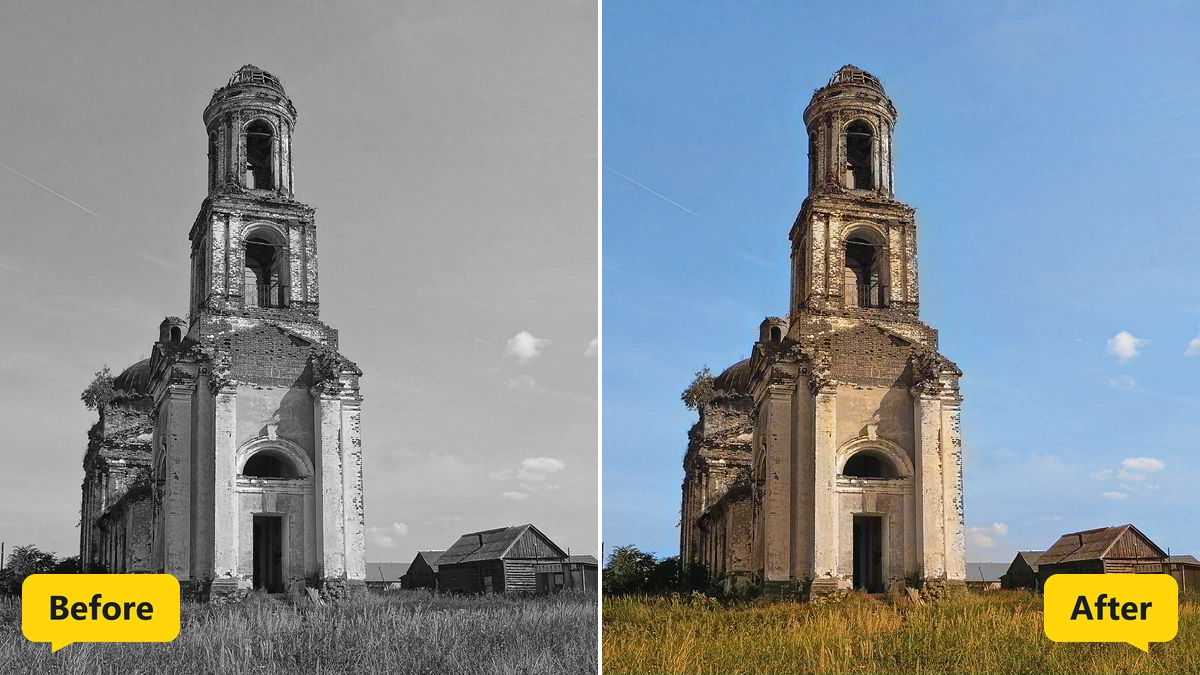
Turn Black and White Photos into Color
The AI behind Colorize photo gives skin, sky, plants and fabric fitting colors. Brightness and detail of the original stay in place.
Render quality switches between Recommended and High quality, and a switch toggles between Original and Colorized.
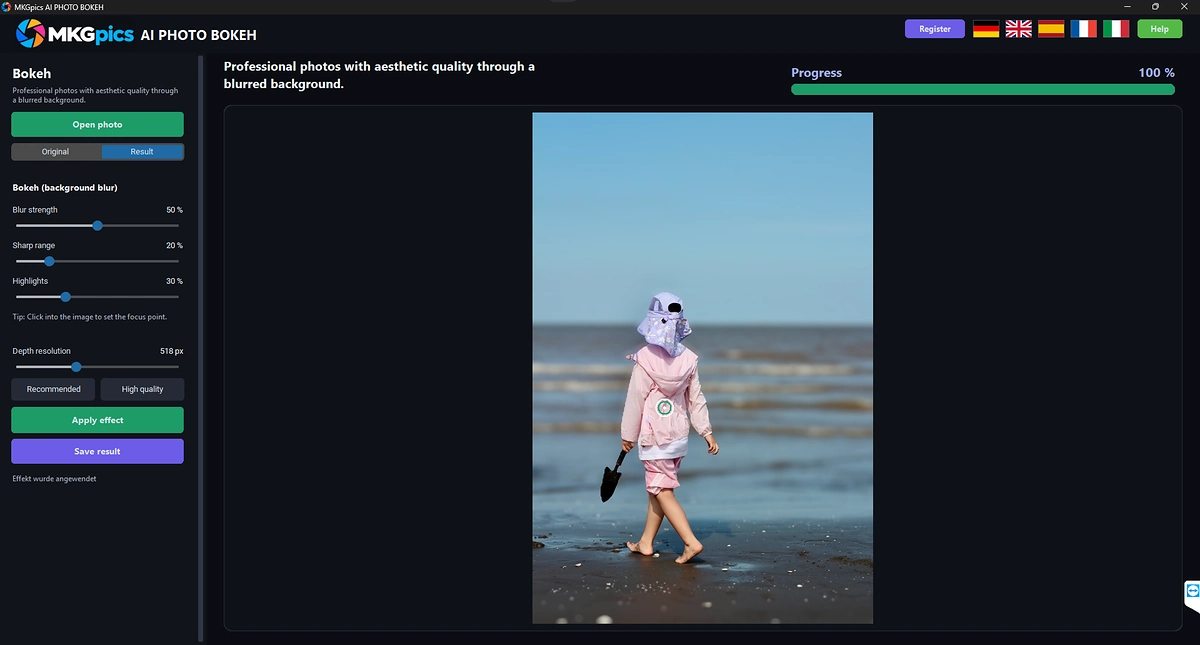
Create Soft Background Blur with Bokeh
One click sets the focus point, for example on a face. The AI estimates a depth map from the photo, and the background drops into blur the farther it lies from the subject.
Blur strength, sharp range and highlight size are adjustable, and bright lights grow into round discs. Depth resolution switches between Recommended and High quality.
Make Blurry Photos Sharper
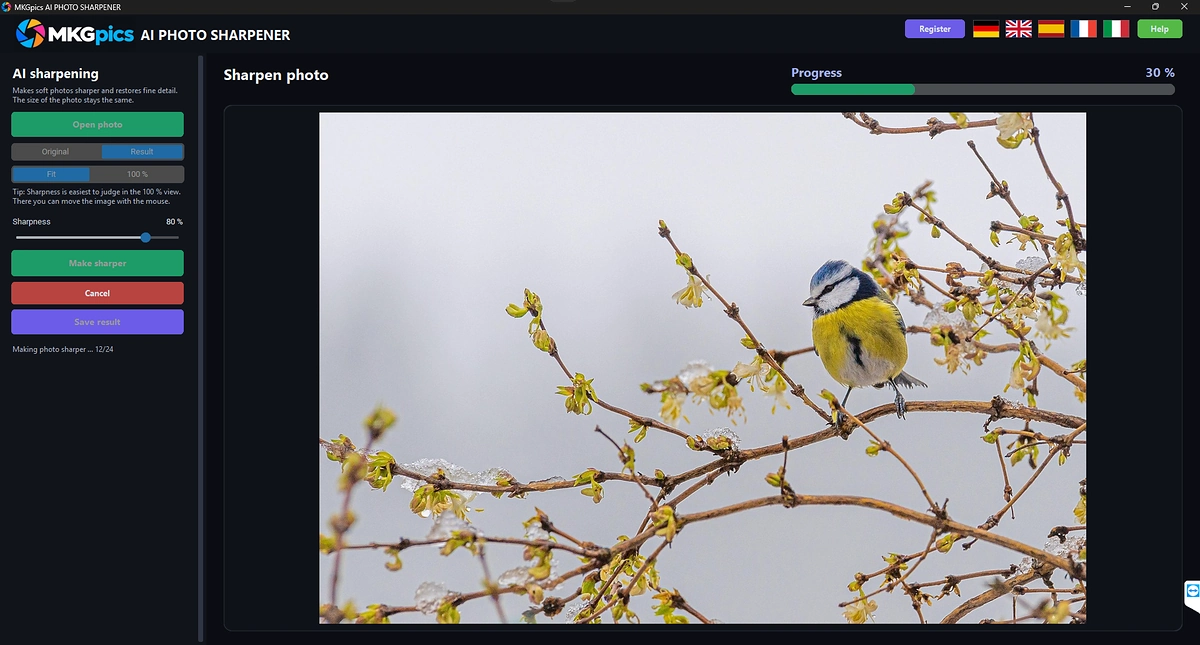
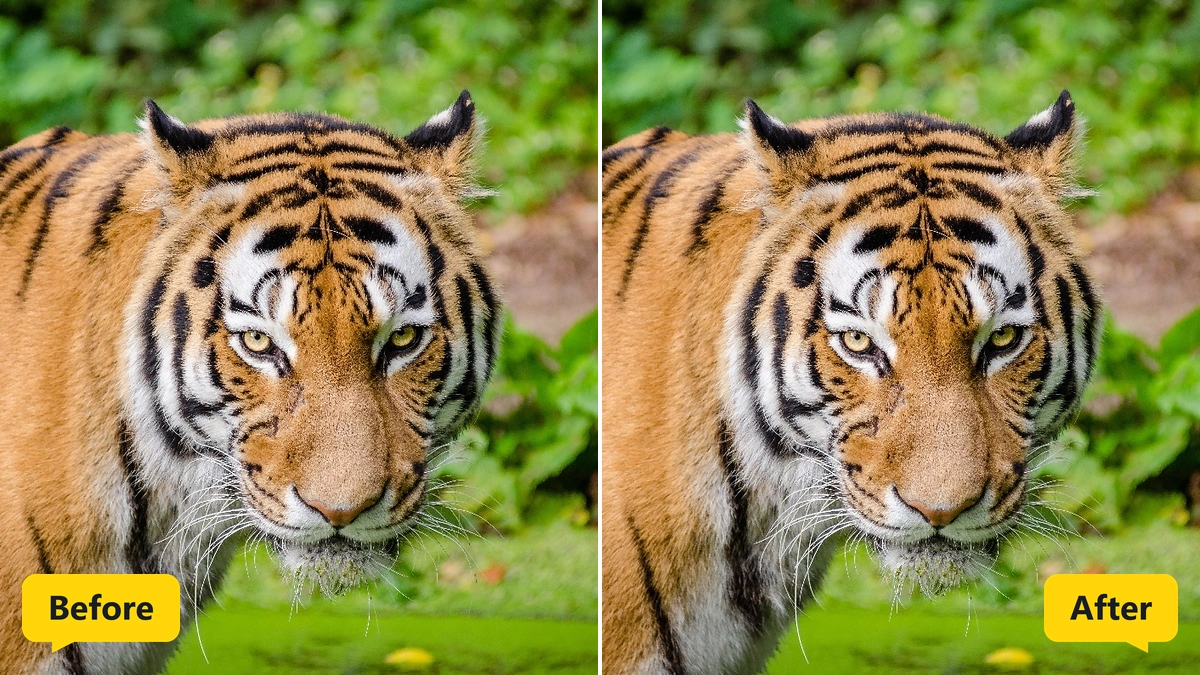
The AI behind Make sharper rebuilds edges and structures. The photo keeps its size, and large photos are calculated in overlapping sections.
Strength stays adjustable after the run, and the preview reacts at once. The original size view shows sharpness pixel by pixel, and Cancel stops a running job.
Clean Up Noise in Dark Shots
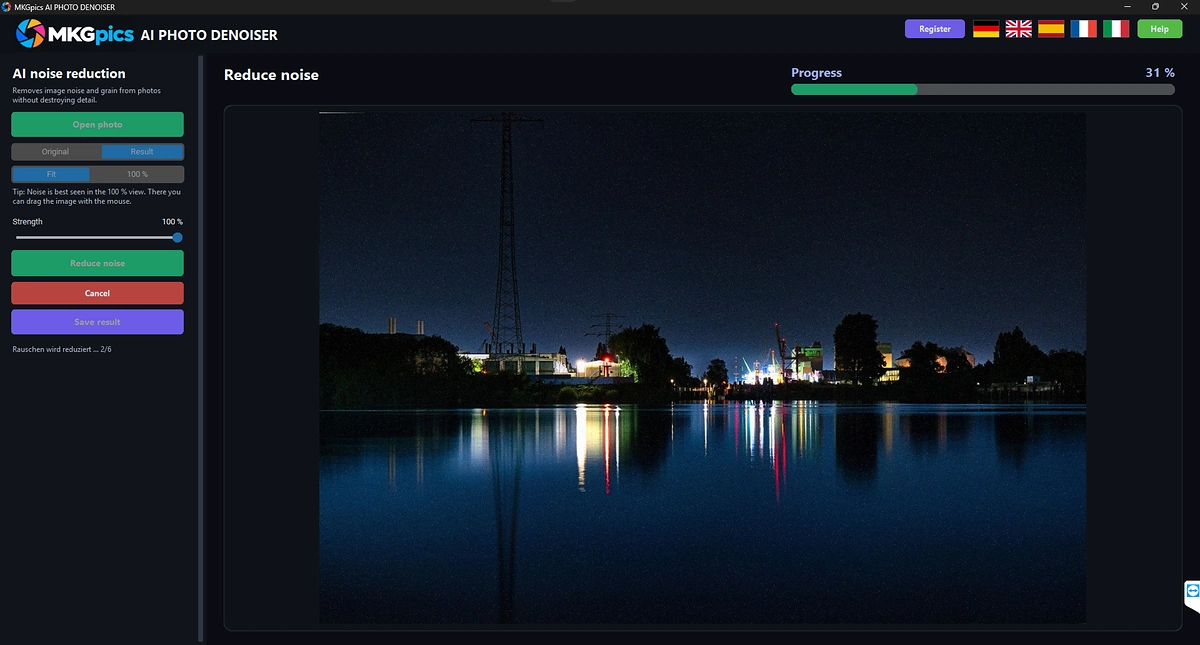
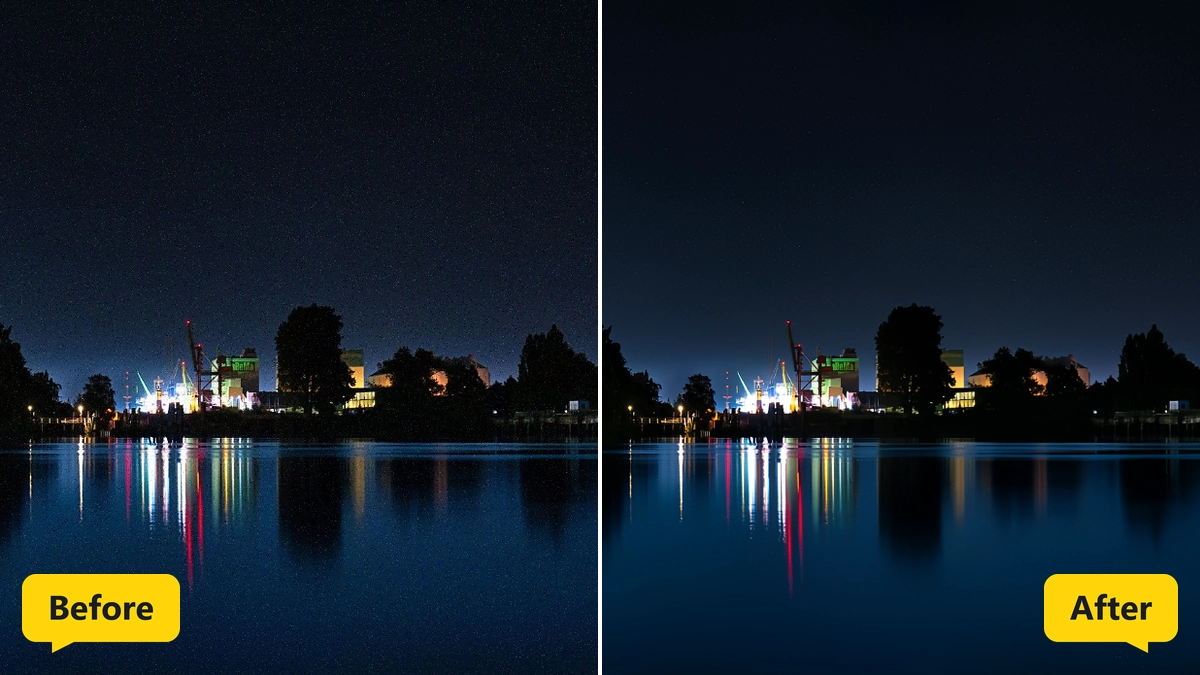
Night shots and photos taken at high sensitivity show grain. Reduce noise lets the AI smooth these flaws without destroying edges and structure.
Strength stays adjustable afterwards, and the Original and Result switch shows the difference. The progress bar counts the finished sections.
Enlarge Photos to Twice or Four Times the Size
Choices are 2× and 4×, and Enlarge starts the calculation. The AI adds fine detail, and a message reports the result size in pixels.
Detail strength is adjustable afterwards. Very large results are limited, and after a change of the factor the program asks for a new click on Enlarge.
Who Uses AI Image Editing Software
Users who dislike juggling several programs stay inside the AI image editor with one window, from a quick crop to full retouching.
- Beginners who want better photos with one click
- Hobby photographers who polish vacation pictures and snapshots
- Professionals who retouch shots before delivery
- Designers who cut out subjects and insert text
- Online sellers who crop and brighten product photos
- Archivists who colorize, denoise and enlarge old scans
Jobs for AI Photo Editing Software from Vacations to Online Shops
Vacation photos improve with straightening, cropping, a new sky and filter presets. The AI image editor fixes crooked horizons and gray days.
» AI Image Editing Software free download
Portraits get red eye correction and the healing brush, and the smooth brush keeps skin and surfaces soft while edges stay sharp.
Product pictures for online shops are cut out, cropped and brightened, and logos or captions arrive as text and image.
Old scans and black and white shots are colorized, denoised and enlarged before they go into a photo book or onto a wall.
Questions and Answers about AI Photo Editing
How do I edit photos with AI on a PC?
Open the photo or drag it into the window, choose the AI function in the AI tab and start it there. After saving, the result returns to the editor.
Does AI photo editing software work offline?
Yes, editing and AI calculation run on the local PC, and no internet connection is needed.
How do I remove the background or unwanted objects from a photo?
Remove background separates the subject with one click and saves it with transparency. Unwanted objects are painted with the brush, and the AI fills the gap.
How do I sharpen a blurry photo and remove noise?
Each job has its own AI function. Make sharper rebuilds edges, Reduce noise smooths grain, and both strengths stay adjustable after the run.
How do I fix red eyes and skin blemishes?
Red eyes are corrected with a click on the red pupil. The healing brush matches blemishes and scratches to the brightness and color of the surroundings.
Which file formats does the program open and save?
It opens PNG, JPG, JPEG, WebP, BMP and TIFF, and it saves PNG, JPG, WebP, TIFF or PDF.
|
|